
Prepare an estimate
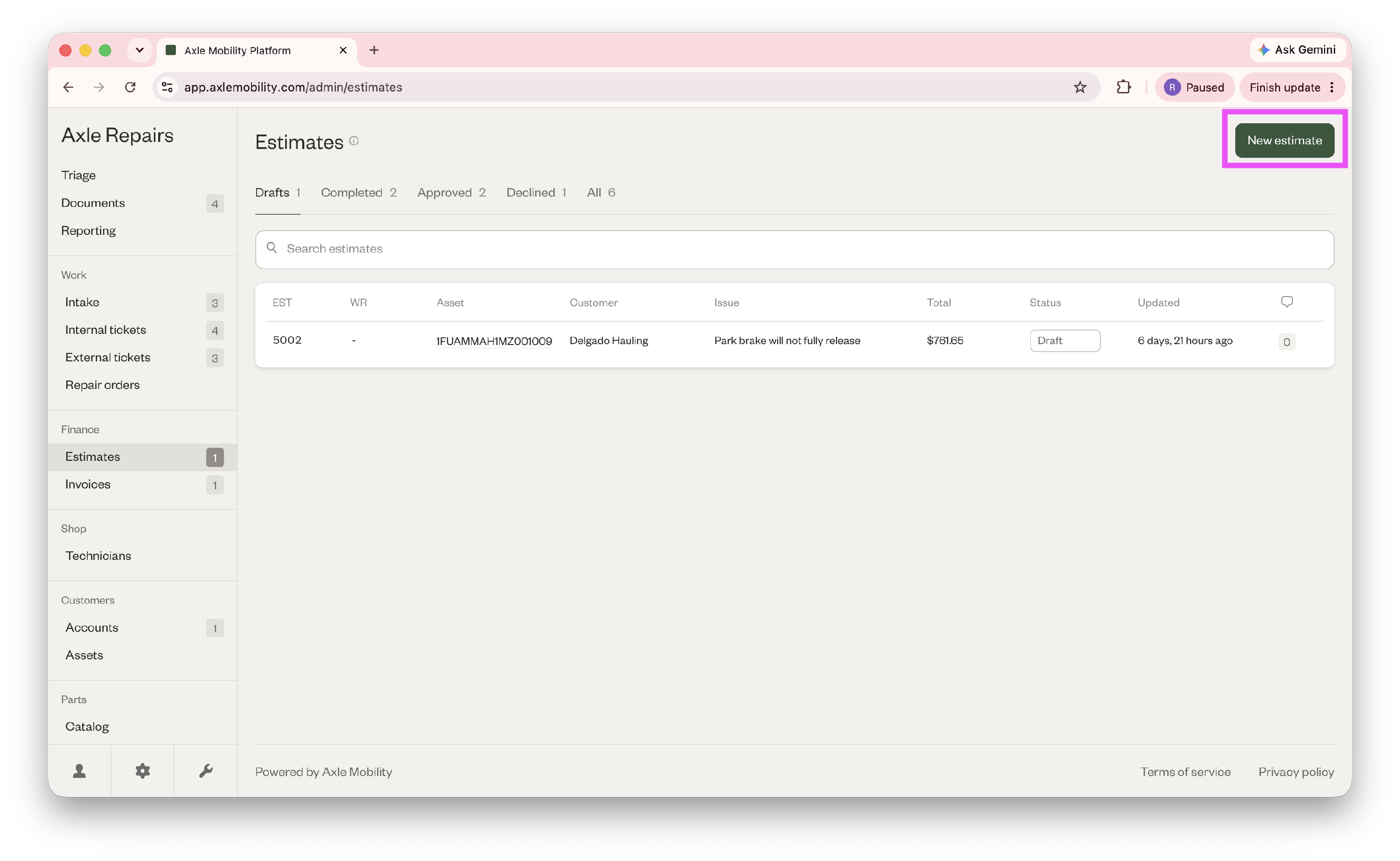
- Go to Finance > Estimates > New estimate in the top right corner.
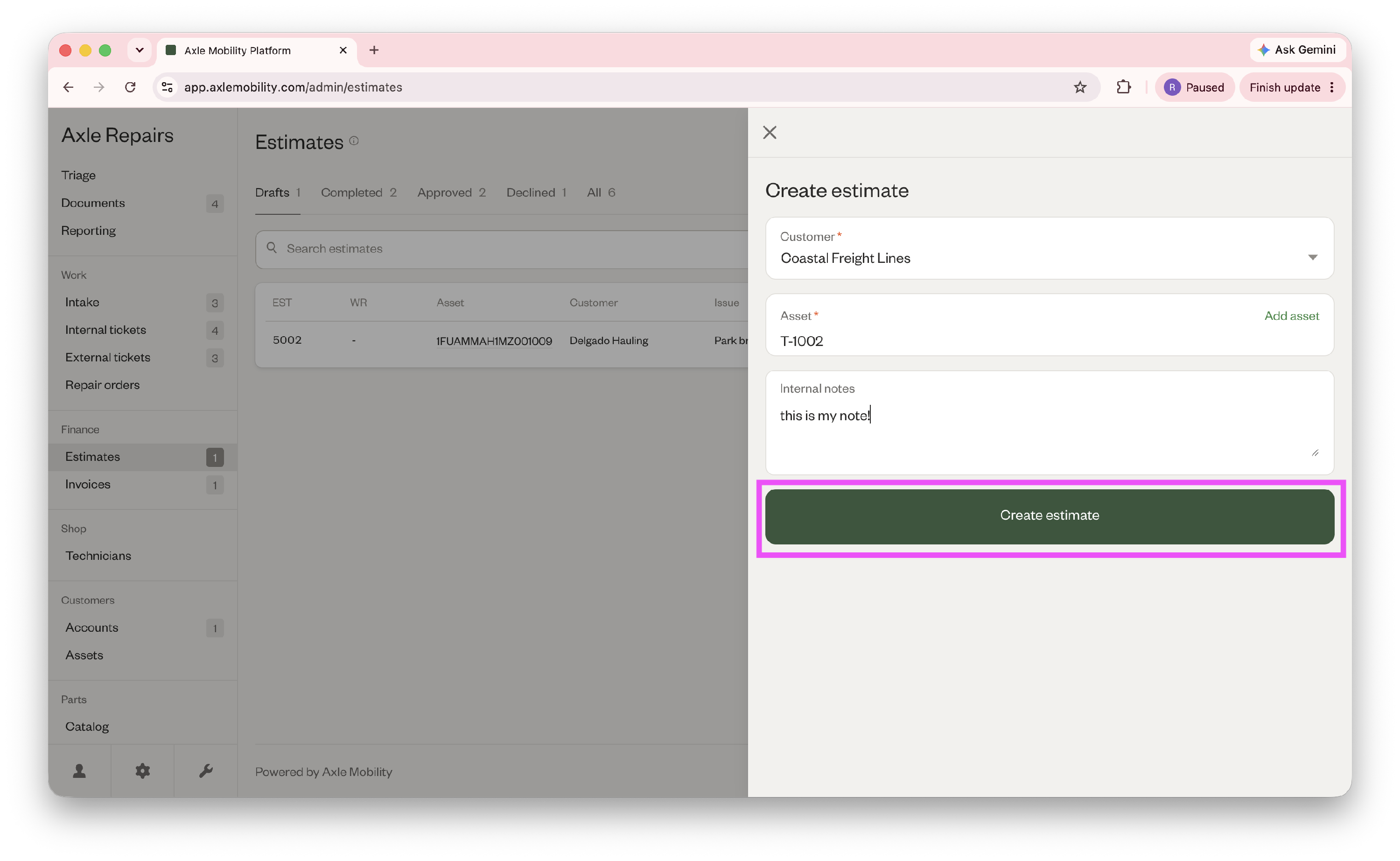
- Select the customer and asset, and fill out any internal notes. Then click "Create estimate." This automatically creates a work request for the estimate, which will be ready for work when the estimate is approved.
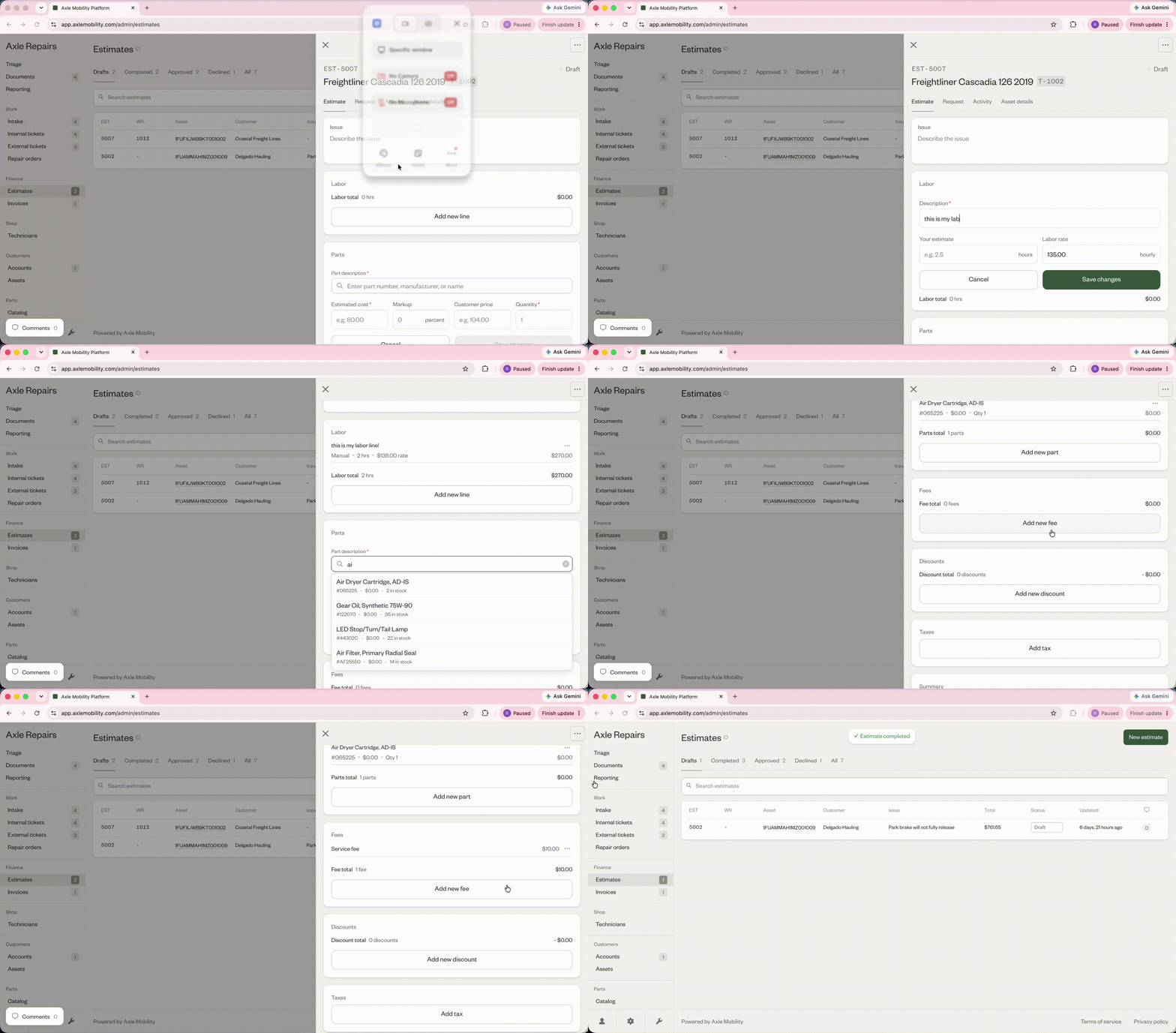
- Fill out any labor lines, parts, fees, discounts, and taxes for the job, and click "Complete estimate."
If the customer uses Axle's customer portal, they'll be able to approve or decline the estimate from there. If not, you can manually record the approval by following the steps below:
- Go to Finances > Estimates > Completed tab and click on the completed estimate.
- Go to the Approval tab.
- Scroll below the generated estimate PDF and click "Record approval."
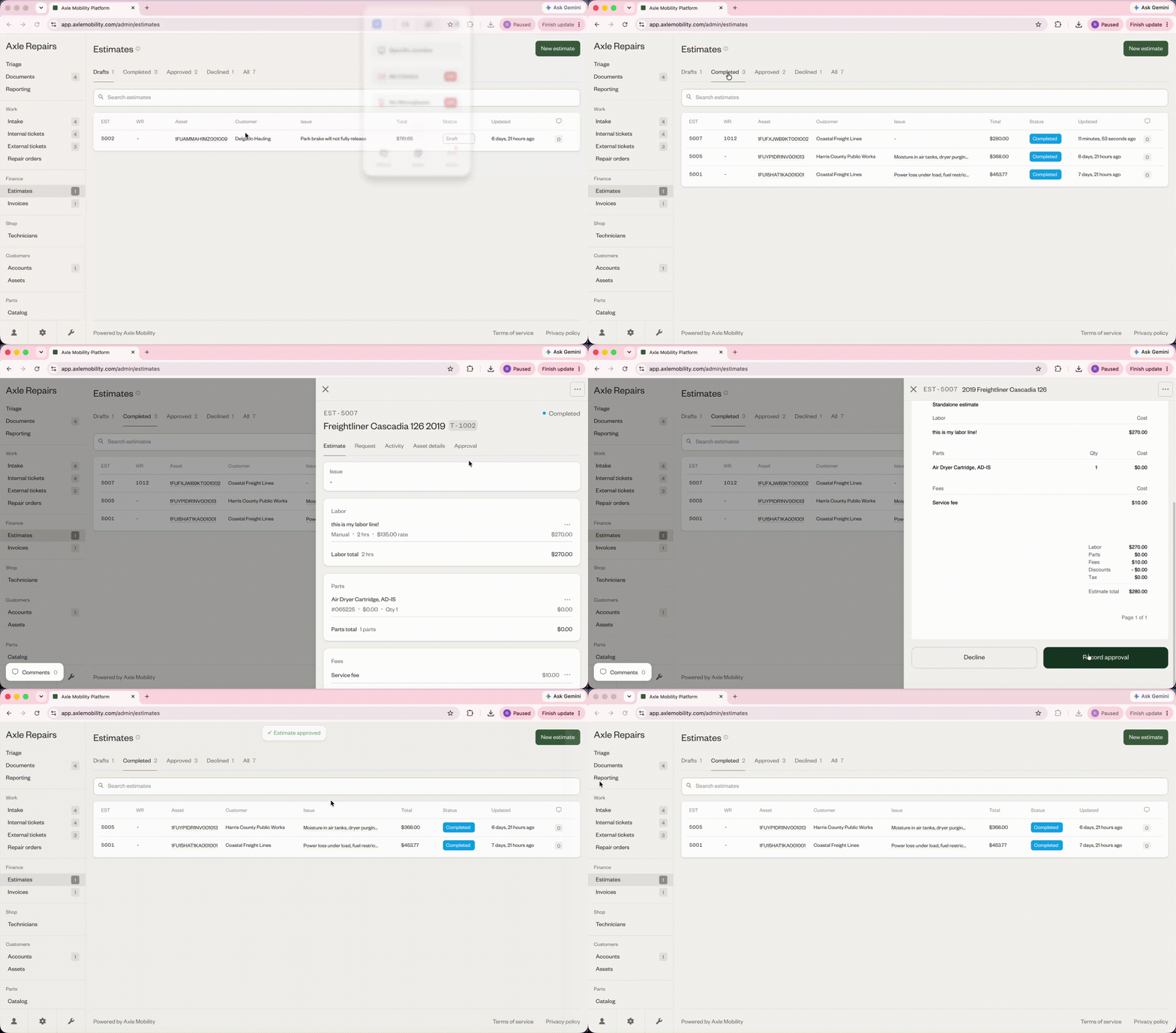
You can now find the estimate in the Approved tab, and begin work on the linked work request.